
URL Encoding and Security: How Improper Encoding Can Create Vulnerabilities
A practical breakdown of double encoding, path traversal, XSS bypass, and open redirects — and how to actually stop them.
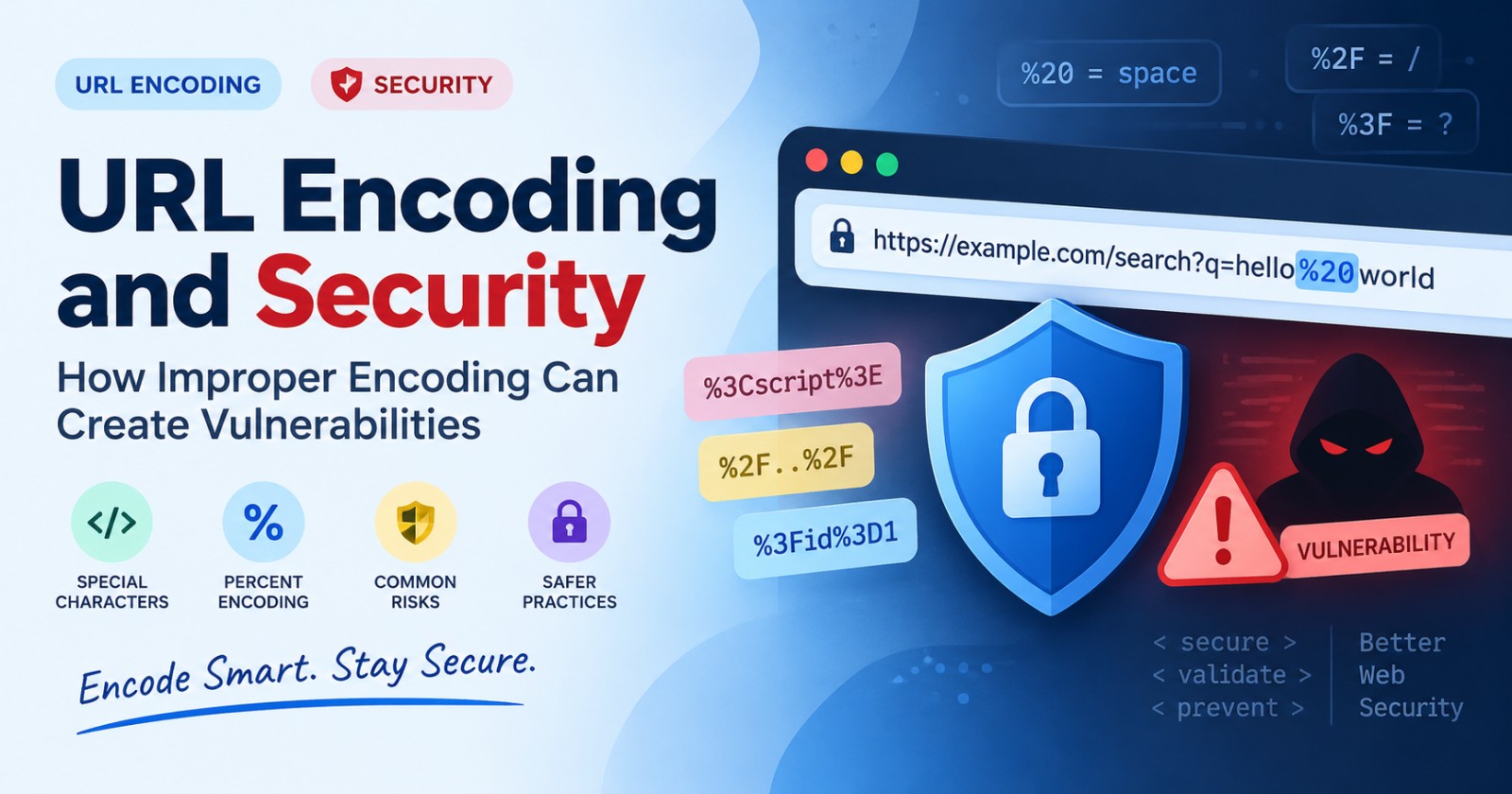
A few years ago, I was reviewing a client's WAF rules and found something strange. Their filter blocked any request containing ../. Simple enough, right? Except an attacker had gotten past it using ..%c0%af. The filter never even saw a dot-dot-slash. It saw garbage, let it through, and the server behind it decoded that "garbage" right back into ../ and walked straight out of the web root.
That's the whole story of URL encoding vulnerabilities in one sentence: something looked safe to one system and dangerous to another, because they didn't agree on how to read the same characters.
If you build, secure, or test web applications, you need to understand this. Not because URL encoding is exotic or rare — it's the opposite. It's one of the most basic, most overlooked parts of the web, and that's exactly why it keeps causing real damage.
In this article, we'll cover:
What URL encoding actually is, in plain terms
Why it turns into a security problem
The specific vulnerability types it enables (with examples you can try yourself)
A real, documented case where this exact issue led to remote code execution
How to actually defend against it
Let's start from the beginning.
What Is URL Encoding, Actually?
URLs can only safely contain a limited set of characters: letters, numbers, and a handful of symbols like -, _, ., and ~. Everything else — spaces, &, #, %, non-English letters, emoji, you name it — has to be represented differently, or it breaks the URL.
URL encoding (technically "percent-encoding," defined in RFC 3986) solves this by converting a character into % followed by its two-digit hexadecimal value.
A space becomes %20. An ampersand becomes %26. The percent sign itself becomes %25 (this one matters a lot later).
Here's a quick example:
Original:  hello world & goodbye
Encoded:   hello%20world%20%26%20goodbye
If you want to see this happen in real time without writing any code, you can paste text into a URL encoder/decoder and watch exactly which characters get converted. It's a good habit to build — most encoding bugs become obvious the moment you actually look at the encoded string instead of assuming what it says.
encodeURI vs. encodeURIComponent (a common source of bugs)
If you write JavaScript, you've probably used both of these and maybe mixed them up:
encodeURI("https://example.com/search?q=hello world")
// → https://example.com/search?q=hello%20world
// (leaves URL structure characters like ?, /, & alone)

encodeURIComponent("hello world & more")
// → hello%20world%20%26%20more
// (encodes almost everything, meant for individual values)
encodeURI is for encoding a whole URL. encodeURIComponent is for encoding a single piece — like a query parameter — that's going to be inserted into a URL. Use the wrong one, and you either under-encode (breaking things or opening a hole) or over-encode (breaking legitimate functionality).
This mix-up alone has caused real bugs, but it's a small taste of the bigger issue.
Why URL Encoding Becomes a Security Problem
Here's the part most tutorials skip: encoding is not a security control. It was never designed to be one. It's a representation format — a way to make sure characters survive being transmitted through a URL.
The problem starts when developers treat encoding as if it were validation. "I encoded the input, so it's safe now" is a dangerous assumption, because encoding doesn't remove dangerous characters — it just represents them differently. They're still there, just wearing a disguise.
And here's where it gets worse: a single HTTP request often passes through several systems before your application code ever sees it — a CDN, a reverse proxy, a WAF, a load balancer, then finally your app server. Each of these might decode the URL at a different point, in a slightly different way, or not at all.
That mismatch — one layer trusting a string, another layer decoding it into something completely different — is the root cause of almost every vulnerability in this article. Security folks sometimes call this "protocol confusion" or "parser differential," but you don't need the jargon. Just remember: whoever validates the input and whoever finally uses the input need to be looking at the exact same string.
Let's look at what happens when they don't.
The Vulnerabilities: How This Actually Gets Exploited
1. Double Encoding
This is the classic. An attacker encodes a malicious payload, and then encodes the encoded version again. Since % itself encodes to %25, a double-encoded ../ looks like this:
Step 1 (plain):     ../
Step 2 (encoded):   %2e%2e%2f
Step 3 (double):    %252e%252e%252f
If a filter checks for ../ or even %2e%2e%2f and blocks those, it sails right past %252e%252e%252f because that string matches neither pattern. But if the application (or a layer behind the filter) decodes the URL twice — once at the proxy, once at the app — the payload reassembles into ../ right where it can do damage.
This works because most systems don't ask "how many times should I decode this?" They just decode once and move on, and attackers exploit the layers that decode more than once, or later than the filter did.
2. Path Traversal via Encoded Characters
Directory traversal attacks try to escape the intended folder using sequences like ../../../etc/passwd. A naive filter blocks the literal string ../. An encoded version — %2e%2e%2f — bypasses that filter completely if the filter runs before decoding.
Some older systems went even further and accepted overlong UTF-8 encodings — non-standard, technically invalid byte sequences that still decode to the same character. A forward slash could be represented as %c0%af instead of the normal %2f. Filters that only recognized the standard encoding missed it entirely.
We'll look at a real-world example of exactly this in a minute.
3. Encoding Mismatches Between Proxy, WAF, and Application
This is the "layers disagree" problem at its purest. Say your WAF decodes a URL once, inspects it, sees nothing wrong, and forwards the original (still encoded) request to your app server. Your app server then decodes it — and finds something the WAF never saw, because the WAF's decoded copy and the app's decoded copy don't match.
This is closely related to HTTP request smuggling, where front-end and back-end servers disagree about where one request ends and another begins. Encoding differences are one of several ways that disagreement gets created, and the consequences range from cache poisoning to full request hijacking.
4. XSS via Encoding Bypass
Cross-site scripting filters often rely on pattern matching — blocking strings like <script> or onerror=. Encode the payload, and naive filters miss it:
Plain:    <script>alert(1)</script>
Encoded:  %3Cscript%3Ealert(1)%3C%2Fscript%3E
If the input gets decoded after the filter runs, or gets decoded in a context the filter didn't anticipate (URL decoding happening inside an HTML attribute, for instance), the script executes. This is also why "context-aware" encoding matters so much — encoding that's correct for a URL is not automatically correct for an HTML attribute or a JavaScript string, and mixing them up creates exactly this kind of gap.
5. Open Redirects and SSRF via Encoded URLs
This one's sneaky because it hides in plain sight, inside the URL's own syntax. Consider this URL structure:
https://trusted-bank.com@evil-attacker.net/login
Browsers and many URL parsers treat everything before the @ as user credentials (the "userinfo" section) and everything after it as the actual host. So this URL actually goes to evil-attacker.net — but at a glance, especially in a link preview or a quick scan, it reads as trusted-bank.com.
Encode the @ as %40, and some validation logic that only checks for a literal @ character misses it, while the browser or backend HTTP client still decodes and honors it. The same trick shows up in Server-Side Request Forgery (SSRF): an attacker disguises an internal address or an unexpected host behind encoded characters so a naive allowlist check doesn't catch it, but the actual request still lands where they wanted.
6. Null Byte and Special Character Injection
Older, but still worth knowing: some systems historically treated %00 (a null byte) as a string terminator. An attacker could append %00 to truncate a filename check — for example, uploading malware.php%00.jpg to slip past an extension filter that only checked the end of the string before the null byte was processed. Most modern language runtimes and frameworks have patched this class of bug, but it still turns up in legacy systems, embedded software, and custom C-based tools.
A Real Case: The IIS Unicode Directory Traversal (CVE-2000-0884)
This one is old, but it's the cleanest possible illustration of "layers disagreeing about encoding" — and it's exactly the pattern still causing bugs today.
Microsoft IIS 4.0 and 5.0 had a directory-traversal vulnerability, tracked as CVE-2000-0884, that attackers could exploit using Unicode-encoded URL characters. Here's the mechanism: IIS checked incoming URLs for path-traversal sequences before decoding them, but its URL decoder went ahead and accepted extended Unicode encodings — for example, one non-standard Unicode representation of a forward slash was %c0%af.
So a request like /scripts/..%c0%af..%c0%af..%c0%af/winnt/system32/cmd.exe didn't contain the literal string ../ that the security check was looking for, and it sailed straight through. Only afterward did IIS's Unicode decoder convert that string into a real path-traversal sequence, resolve it, and execute it — handing the attacker command execution as the IIS anonymous user.
Security trackers still rate this vulnerability as high-risk today, with a very high estimated probability of ongoing exploitation against any system left unpatched — a reminder that "old" doesn't mean "harmless." Systems with this exact class of bug (check-then-decode instead of decode-then-check) get found and exploited constantly, just with new names and new products.
The fix Microsoft shipped, and the fix every developer should still be applying today, comes down to one principle: decode fully before you validate, not after.
How to Defend Against Encoding-Based Attacks
None of this requires exotic tooling. It requires discipline about when and how decoding happens.
Canonicalize, then validate. Fully decode input — including repeated decoding if your stack might see double-encoded data — into its final form before running any security checks against it. Never validate a string that might still have more decoding left to do.
Decode once, and make every layer agree. Audit your CDN, WAF, reverse proxy, and application code together. If any two of them decode the same request differently, you have a gap waiting to be exploited. This usually means picking one canonical decoding point and making sure everything downstream trusts that decoded value rather than re-decoding it independently.
Use allowlists, not denylists. Instead of trying to block every dangerous character or pattern (a list that's always incomplete), define exactly what's allowed — specific characters, specific formats, specific value ranges — and reject everything else by default.
Match your encoding to its context. A value going into a URL query string, an HTML attribute, a JavaScript string, and a database query all need different encoding treatments. Libraries like OWASP's Java Encoder, Python's html.escape, or framework-native escaping (React's JSX escaping, Django's template autoescaping) exist specifically so you don't have to hand-roll this — use them instead of writing your own encode/decode logic.
Don't hand-roll parsers. Use your language's standard library or a well-maintained URL parsing library instead of regex-based custom parsing. Standard libraries have absorbed years of edge-case fixes that a quick regex never will.
Log and alert on encoding anomalies. Repeated double-encoded requests, unusual Unicode sequences, or requests with an abnormal number of %25 characters are a strong signal someone is actively probing your app. Treat encoding weirdness as a signal worth watching, not noise to filter out.
Test it yourself before an attacker does. Try feeding your own application double-encoded payloads, overlong UTF-8 sequences, and encoded @ and %00 characters. Tools like Burp Suite's Repeater make this straightforward, and for quick manual checks, a simple online tool is often enough to build and inspect the exact payload you want to test.
Quick Checklist
Decode fully before running any validation or security checks
Confirm every layer (CDN, proxy, WAF, app) decodes URLs the same way
Use allowlists for acceptable characters and formats, not denylists of "bad" ones
Apply context-specific encoding (URL vs. HTML vs. JS vs. SQL) — never one-size-fits-all
Rely on standard libraries for parsing and encoding, not custom regex
Watch logs for double-encoding, unusual Unicode, or suspicious
%patternsTest your own endpoints with encoded and double-encoded payloads regularly
Frequently Asked Questions
Is URL encoding the same as encryption?
No, and this mix-up causes real problems. Encryption scrambles data so it's unreadable without a key. URL encoding just swaps certain characters for a %XX representation — anyone can decode it instantly, with no key required. If you're protecting sensitive data (passwords, tokens, personal info), URL encoding gives you zero confidentiality. It only makes a string safe to transmit inside a URL, nothing more.
Can URL encoding alone prevent XSS or SQL injection?
No. Encoding changes how a string is represented, not what it contains. A malicious payload that's been URL-encoded is still the same payload once something decodes it — which is exactly the problem this article walks through. Preventing XSS and SQL injection requires proper output encoding for the right context (HTML, JS, SQL) plus parameterized queries and input validation, not URL encoding on its own.
What's the difference between %20 and + for encoding a space?
Both represent spaces, but in different contexts. %20 is the standard percent-encoded space and works anywhere in a URL. The + character is a legacy convention specific to application/x-www-form-urlencoded data (like form submissions and query strings) — it is not part of the general URL spec. Using + outside a query string, or forgetting that + needs its own encoding (%2B) when it's meant literally, is a common source of subtle bugs.
How can I check what an encoded URL actually contains?
Decode it before you trust it. Browser dev tools, curl -v, or a simple online decoder will all show you the plain-text version. This matters most when a URL looks suspicious — a long string of % characters is often someone trying to hide something from a quick visual scan, and decoding it is usually enough to reveal exactly what.
Does using HTTPS protect against encoding-based attacks?
No. HTTPS encrypts the connection between the browser and the server, protecting data in transit from eavesdropping. It does nothing to validate or sanitize the content of the request itself. An attacker can send a path-traversal or XSS payload over HTTPS just as easily as over HTTP — encryption and input validation solve two completely different problems.
Are WAFs enough to stop encoding-based attacks on their own?
Not by themselves. A WAF is a useful additional layer, but as this article covers, encoding mismatches between the WAF and the application are themselves a common bypass technique. Treat a WAF as one layer in a defense-in-depth strategy, not a substitute for decoding-before-validating and context-aware encoding inside your own application code.
What's the real difference between normal encoding and double encoding, from a security angle?
Normal encoding is expected and handled correctly by well-built systems. Double encoding exists specifically to exploit systems that decode more than once, or that decode at a different point than where validation happens. The character sequence itself isn't inherently more "dangerous" — the risk comes entirely from the mismatch between how many times different parts of your stack decode the same input.
Which characters should always be encoded in a URL?
Anything outside the unreserved set — letters, digits, and -, _, ., ~ — should be encoded when it appears as data (like a query parameter value) rather than as part of the URL's structure. That includes spaces, &, #, %, @, =, +, and any non-ASCII character. When in doubt, let a standard library function (encodeURIComponent, urllib.parse.quote, etc.) make the decision instead of guessing manually.
Wrapping Up
URL encoding itself isn't the vulnerability. It's a plain, useful, well-designed piece of web infrastructure. The vulnerability shows up in the gap — the moment one part of your stack trusts a string that another part is about to interpret completely differently.
That gap is usually invisible until someone goes looking for it, which is exactly why it's worth going looking for it yourself, on your own systems, before someone else does it for you. Pull up your logs. Check where your validation happens relative to your decoding. Test a double-encoded path traversal against your own app. It takes an afternoon, and it closes a door that's stayed open on a lot of production systems for a lot longer than anyone would like to admit.


